by Rakesh Pal
I worked as a volunteer for the British Heart Foundation for 13 years.
One of my many tasks during this time was working alongside the retail stores Van Driver. We would carry out charity bag drops, delivering 500 bags door to door, along a predefined route of roads.
The bags were marked with a date on which we would return to the area, to collect any donations left by customers. These would then be delivered to the retail store, to be sorted and sold, to raise money for the charity.
After collecting and analysing data for the charity bag drops, I identified that 90% of bags were discarded by the customers. We would typically see a 10% return on average – for every 500 bags delivered, we would receive 50 bags of donations.
This was a significant waste of charity bags, inefficient, expensive, and time consuming.
I tasked myself with tackling the issue.
Firstly, I developed an Excel template to enable the collection of data for charity bag drops per route, allowing us to store information in a structured way.
Secondly, I designed an Excel report.
The report was automated, allowing the collected data to be extracted, interpreted, and analysed.
Furthermore, the report utilized dashboards, charts, pivot tables, conditional formatting, and slicers to enable management to analyse summarized data, identify trends, and support data driven decisions.
Implementing the report allowed us to tailor make our charity bag drop routes, delivering to customers who were more likely going to donate, based on their donation history.
Over a two-year period:
- charity bag wastage was reduced by 80%,
- average return of donated bags rose from 10% to 48% per drop.
- charity bag drop routes were tailor made, with customer donation history taken into account when planning routes.
- charity bag drops took under two hours to deliver, a three hour improvement over the standard 500 bag drops.
- Management now had the capability to monitor metrics
Targeted Housing Report
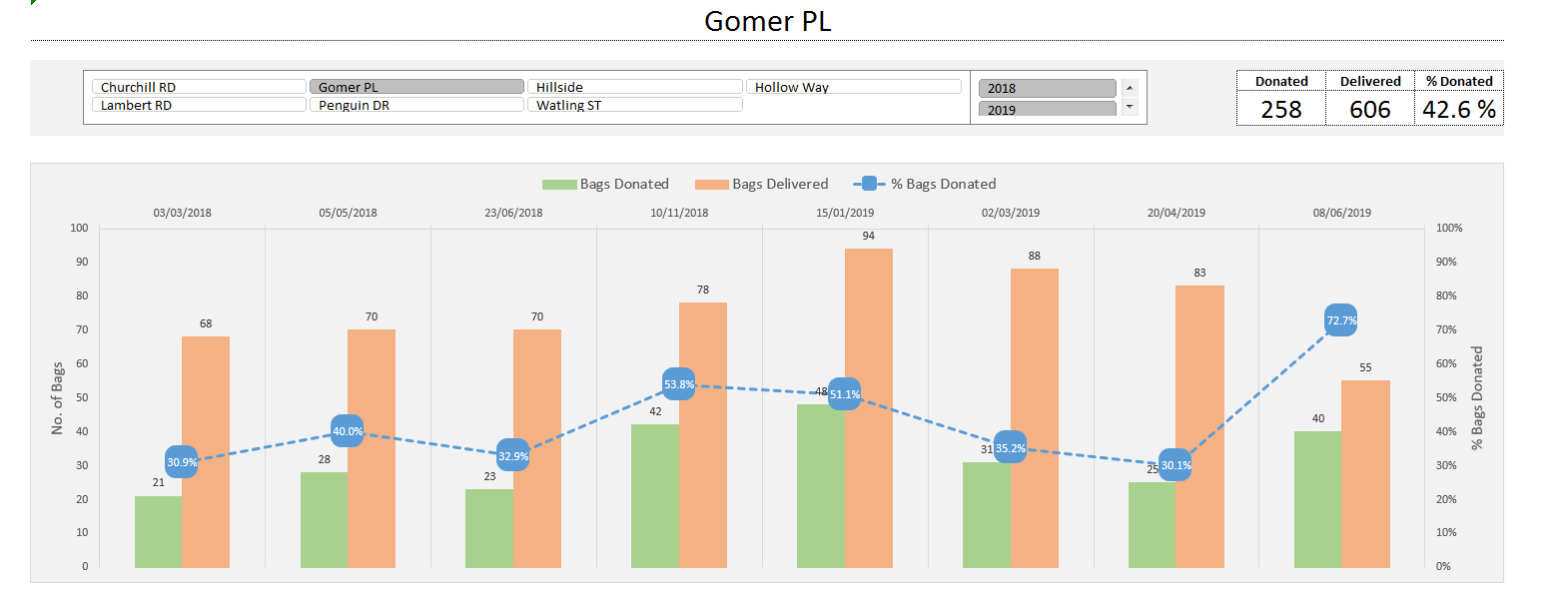
Route Summary
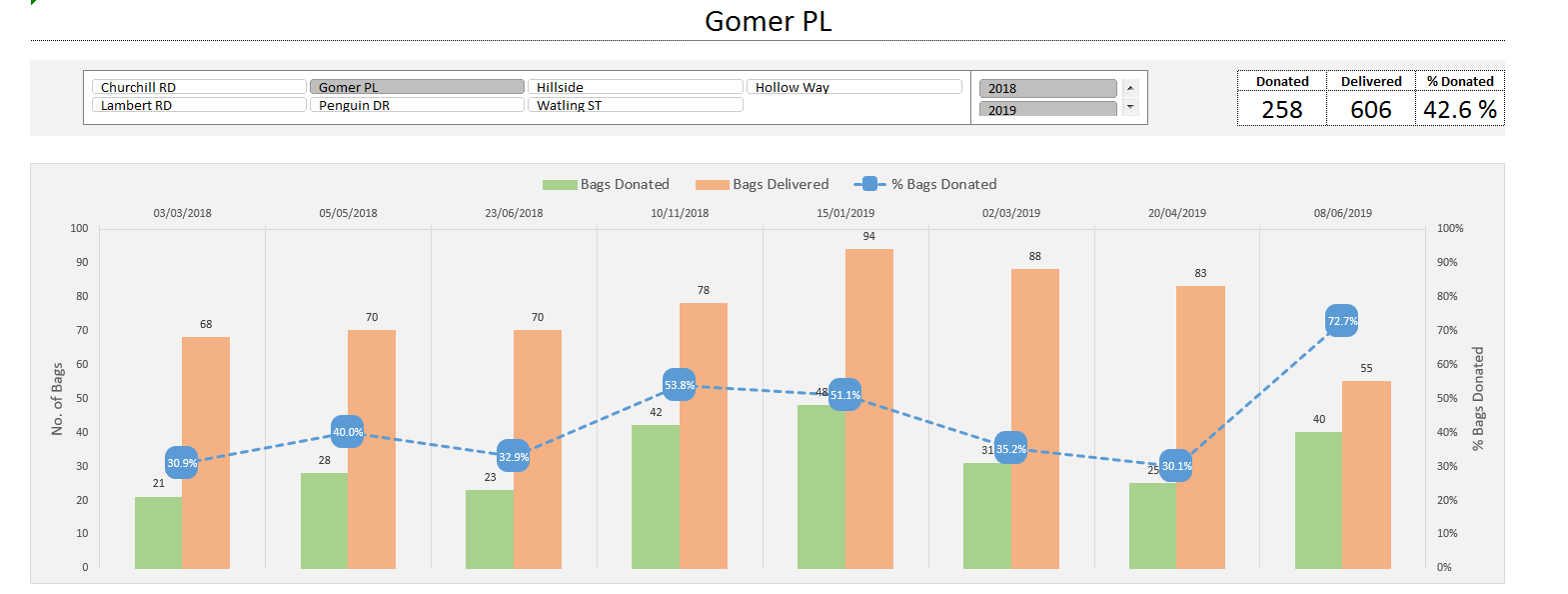

Bag Summary
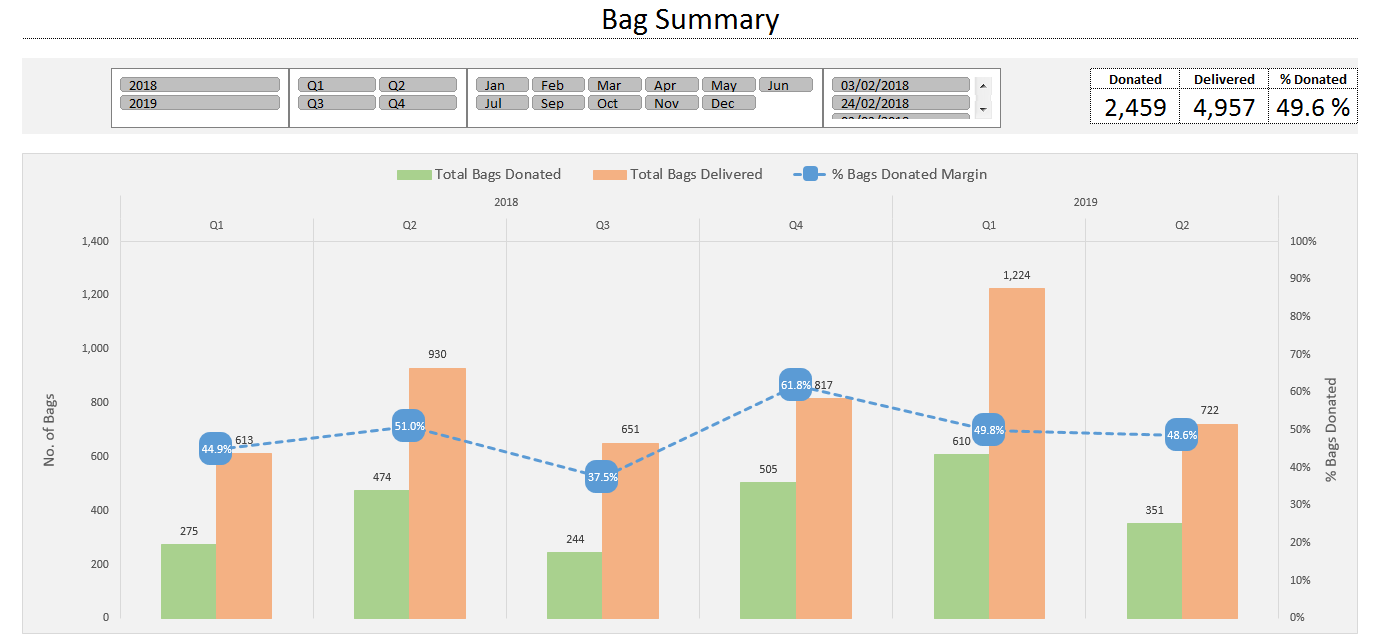
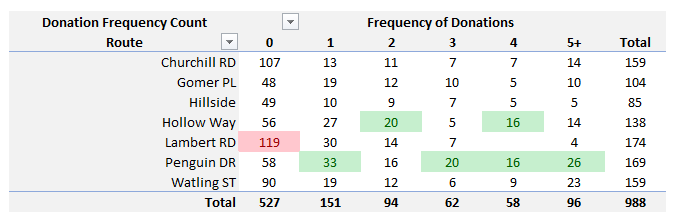
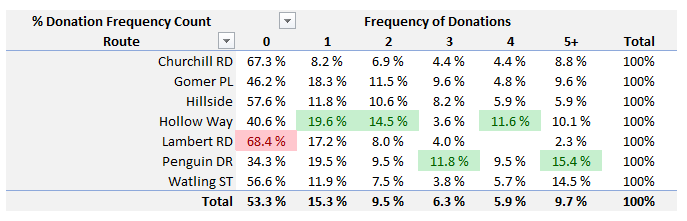
Donator Distribution
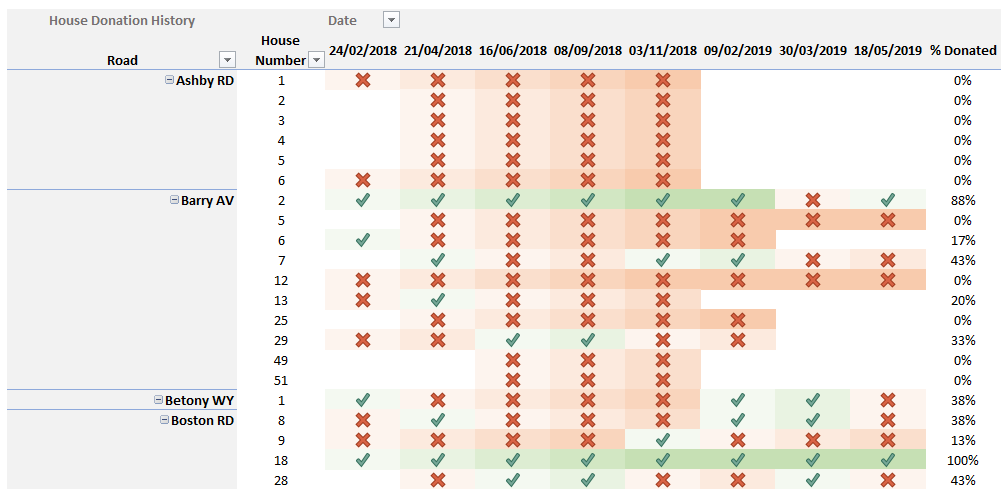
House Tracker
Targeted Housing Template
I designed the template with the end user in mind, simplifying the look and ease of use so anyone with basic computer literacy would have no trouble using them.
The user inputs the road and house numbers on the left handside, for which the charity bags are to be delivered to. A Delivery Sheet for the Van Driver will be produced from this data, by refreshing the spreadsheet.
After the collections have been made, the user can enter in the house numbers which donated, alongside the total amount of bags received (donated) by the customers.
Once the spreadsheet is refreshed, it can be used in the Targeted Housing report.
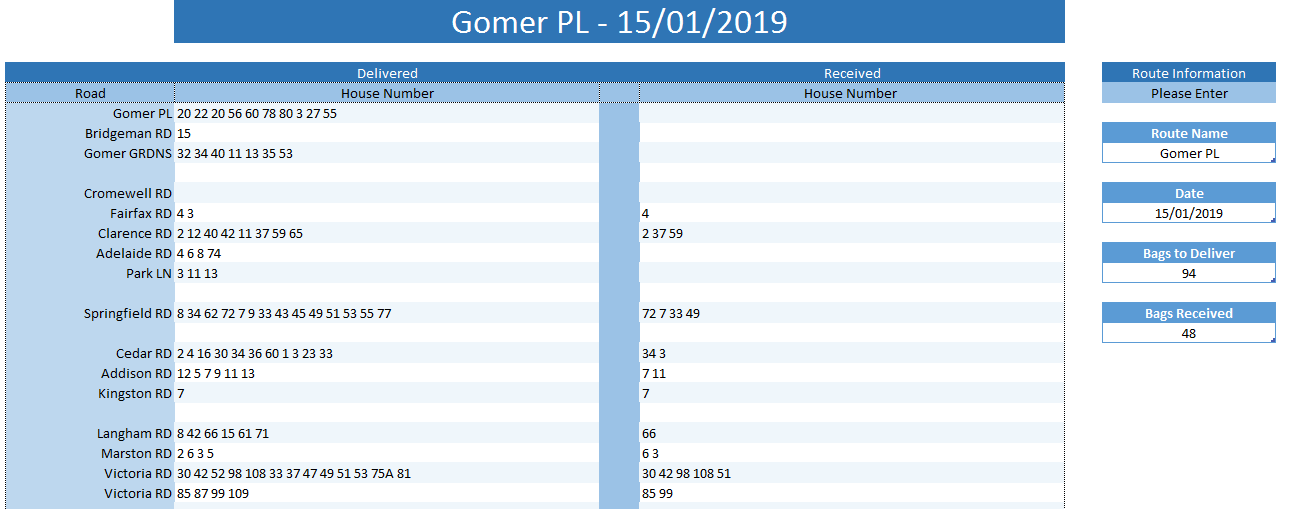
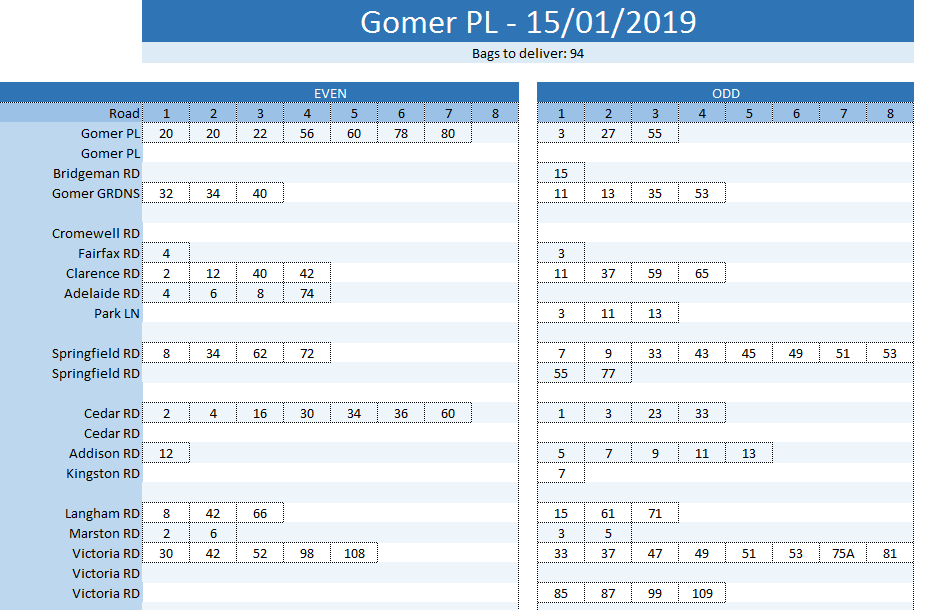
The printable Delivery Sheet, produced from the data inputted by the user. My code splits the house numbers into even and odd columns, thus making the Van Drivers job easier when delivering the bags.
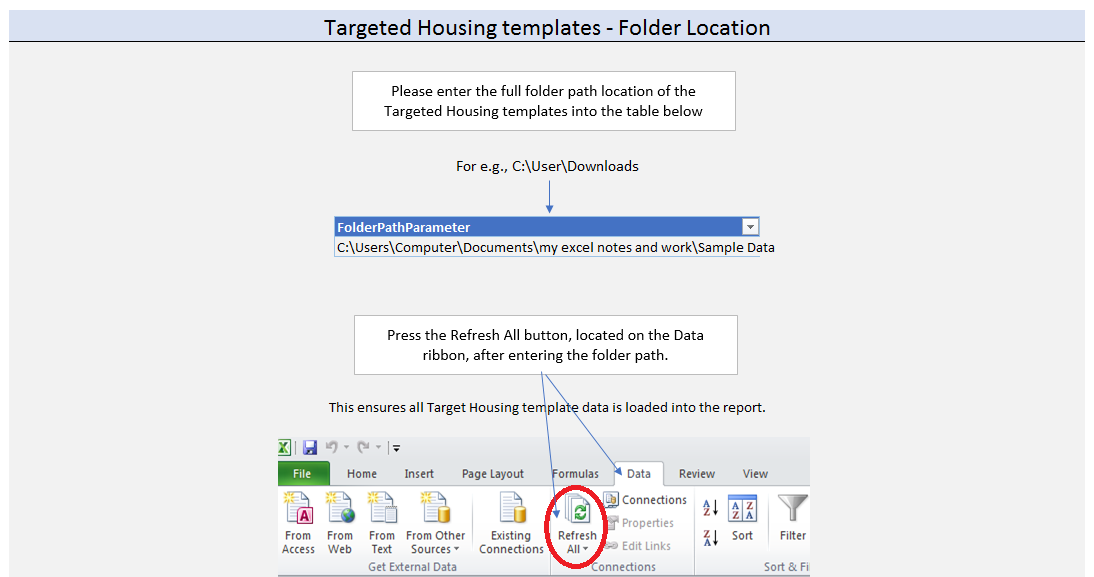
The templates must be stored in a folder. The location of this folder is entered into the Targeted Housing Report, and after clicking Data > Refresh All, Excel will load in the data stored there, preparing it for the report.
Please download the Excel file to see the Report in detail.
I hope you found the Report useful.
If you have any questions or comments please leave them below.
 Rakesh Pal's Blog